
Why Screen Time limits stop working, and what to do
You set an App Limit for Instagram, the grey screen appears, and you tap past it anyway. If that sounds familiar, the limit is working as designed. The problem is that it is designed to be dismissed.
The “Ignore Limit” problem
When an App Limit runs out, iPhone shows Ignore Limit. Tapping it offers One More Minute, Remind Me in 15 Minutes or Ignore Limit for Today. It is a reminder, not a block, and it appears exactly when the urge to keep scrolling is strongest. After a few days the tap becomes part of the habit.
Fix 1: Turn on a Screen Time passcode
In Settings → Screen Time → Lock Screen Time Settings, set a passcode, and keep Block at End of Limit switched on inside the limit. Now ignoring a limit needs the code. This works best when someone else sets the code. If you know it, you will usually type it.
Fix 2: Block for a session instead of a daily budget
A daily budget makes you decide again every time it runs out. A session decides once: the apps are closed until this Focus ends. That is how Unscroll works. During a Focus, blocked apps show the Unscroll Shield with no snooze option. To open one you have to switch to Unscroll and end the Focus. That is a real decision, not a reflex.
Fix 3: Make ending early harder when you need it
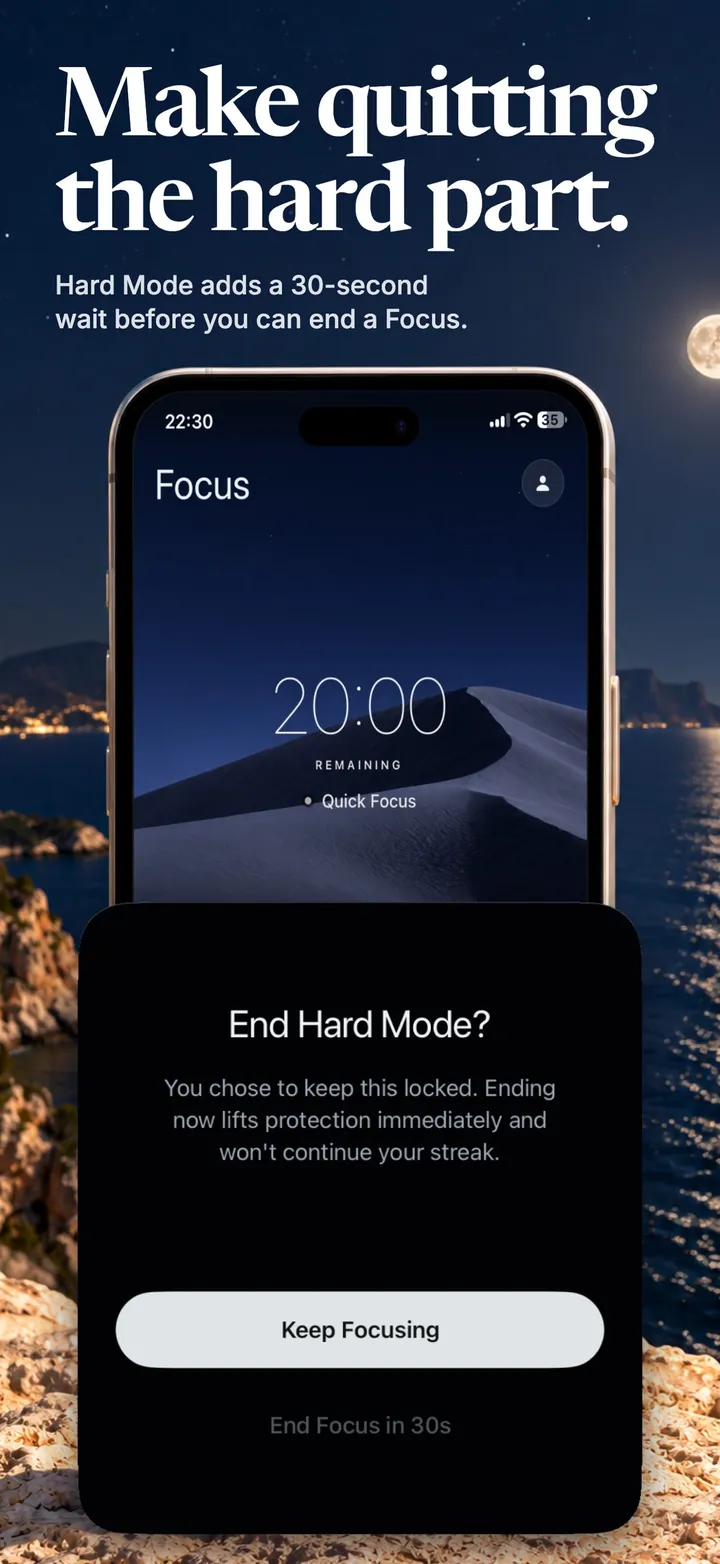
Some days you know you will negotiate with yourself. Unscroll’s Hard Mode (Pro) removes every way out from the Shield, and ending the Focus early requires a 30-second wait. Usually the urge passes before the timer does.
Other reasons limits seem not to work
- The website still works. Blocking the Instagram app does not block instagram.com in Safari. Add the website too.
- Share Across Devices is on, so usage from an iPad counts toward the same limit and runs it out early.
- The app is in Always Allowed, so it ignores Downtime.
- Screen Time data is delayed or missing. Reports can lag; this is an iOS behaviour, not your settings.
Make the block hold with Unscroll
The apps you choose stay closed until your Focus ends. No “Ignore Limit” button. Free on iPhone.
Download on theApp StoreFrequently asked
Can I remove the Ignore Limit button?
Not for your own limits without a passcode. With a Screen Time passcode and “Block at End of Limit”, ignoring requires the code instead of one tap.
Does Unscroll replace Screen Time?
No, it uses it. Unscroll is built on Apple’s Screen Time framework and needs Screen Time access. Your selections and detailed activity stay on your iPhone.